Astronomer’s job
Adopt, govern and deliver to the fleet. Constellation arrives on a cluster the same way other catalog applications do.
CONSTELLATION SOLUTIONS / CONSTELLATION + ASTRONOMER
Astronomer adopts, governs and delivers to your Kubernetes clusters. Constellation is one of the curated applications in its catalog, so the clusters Astronomer standardizes can get the same security platform the same way. Each product keeps its own console and its own job.
Both products alpha · Installs from Astronomer’s catalog01 / FROM THE CATALOG
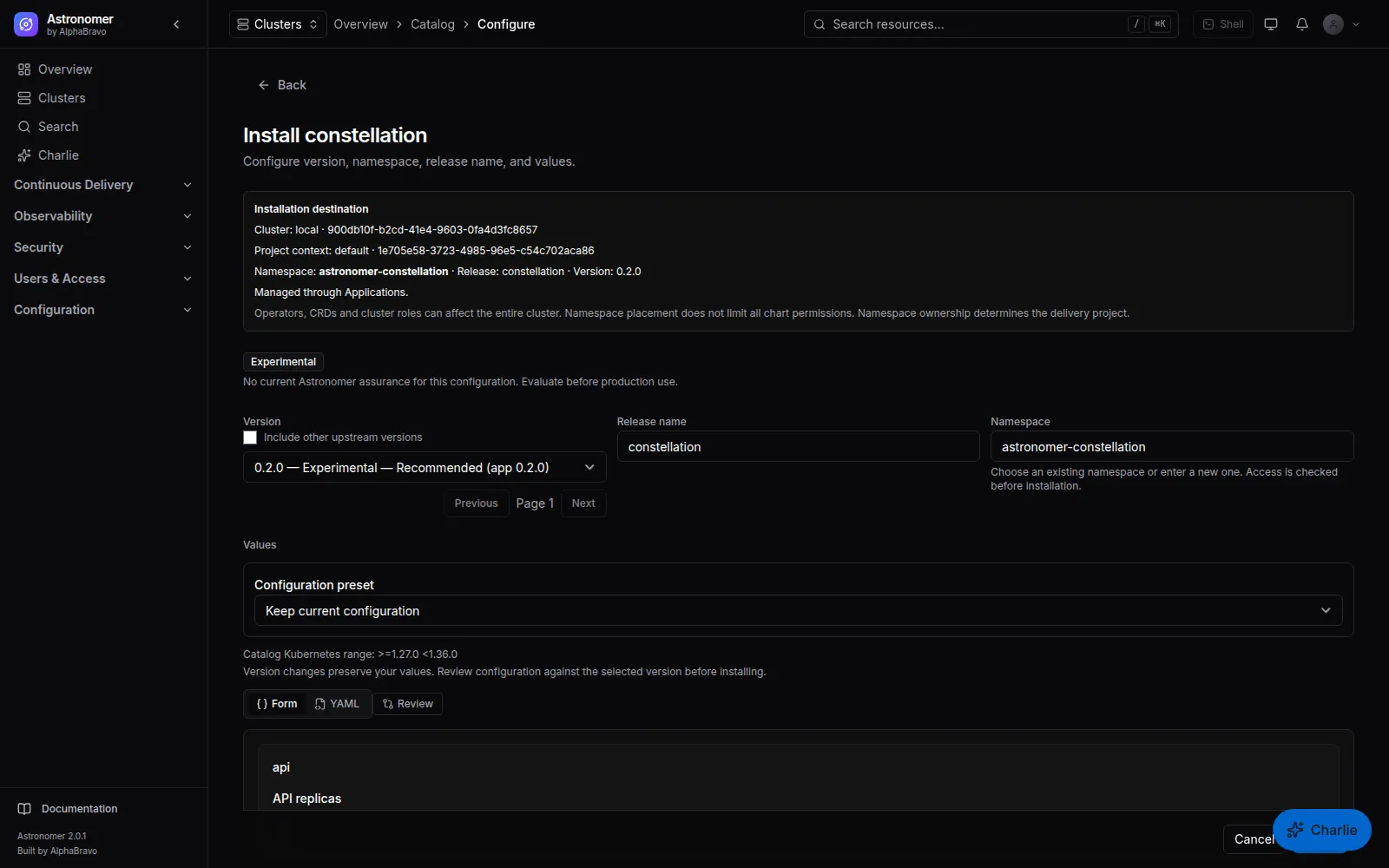
Constellation is a first-party application in Astronomer’s curated catalog of 21. Astronomer operators install it to the clusters they manage from the catalog, and Astronomer delivers it through its GitOps path like any other catalog application.
The install form exposes the Constellation settings people actually change, so a first install does not start from a blank values file:
The full Helm values stay available for anything the form does not show. The recommended namespace is astronomer-constellation.
02 / STRICT FOR TENANTS
Constellation’s default admission policies reject privileged, host-networked and host-PID workloads. Some of the platform tools Astronomer supports legitimately need those capabilities.
So when Constellation is installed from the Astronomer catalog, Astronomer adds one values default: the admission webhook’s namespace selector skips the system namespaces of Astronomer’s supported tools, such as cert-manager, monitoring, logging, Kyverno and Gatekeeper, ingress, Longhorn, Velero and Istio. Every other namespace, including every tenant namespace, still passes through every Constellation policy.
The exemption is a plain values default. Replace the list in your own values to narrow or widen it.
admission:
  webhook:
    namespaceSelector:
      matchExpressions:
        - key: kubernetes.io/metadata.name
          operator: NotIn
          values:
            - astronomer-cert-manager
            - astronomer-monitoring
            - astronomer-kyverno
            - istio-system
            - longhorn-system
            - velero
            # …and the other supported tool namespaces
03 / SET IT UP TODAY
Everything here works with the current alpha builds of both products. Use non-production clusters.
Learn about AstronomerBring the clusters you want to secure under Astronomer’s management first, so catalog applications can be delivered to them.
Pick Constellation in Astronomer’s catalog, set the curated fields (or paste full values), and install into astronomer-constellation. The platform-tool namespace exemptions come with it.
The products stay separate. Constellation findings do not appear in Astronomer’s console, there is no shared dashboard or single UI, and policy is not shared between them. Sign-in is separate too: Constellation’s optional Astronomer token mode expects JWKS-verified RS256 or ES256 tokens, which Astronomer’s HS256 session tokens are not. Both products are alpha.
Adopt, govern and deliver to the fleet. Constellation arrives on a cluster the same way other catalog applications do.
Inventory, vulnerabilities, runtime, admission, network and compliance evidence for the workloads on those clusters, in its own console.
FAQ
No. Constellation installs on its own with its Helm chart, and its own sign-in works without Astronomer. The catalog install is a convenience for teams that already run Astronomer. #
Only for the listed system namespaces of Astronomer’s supported platform tools, which are skipped at the webhook’s namespace selector. Every other namespace still goes through every Constellation policy, and you can replace the list in your values. #
Not today. Each product has its own accounts and single sign-on settings. Point both at the same OIDC identity provider if you want one set of corporate credentials. #
NEXT STEP
Tell AlphaBravo how your Astronomer clusters are laid out. We will walk through a catalog install of Constellation with you.