Ten starter signatures
A small set modeled on the OWASP Core Rule Set: SQL injection, cross-site scripting, path traversal, command injection and scanner user agents. Add your own. It is not the full CRS.
CONSTELLATION PRODUCT / RUNTIME
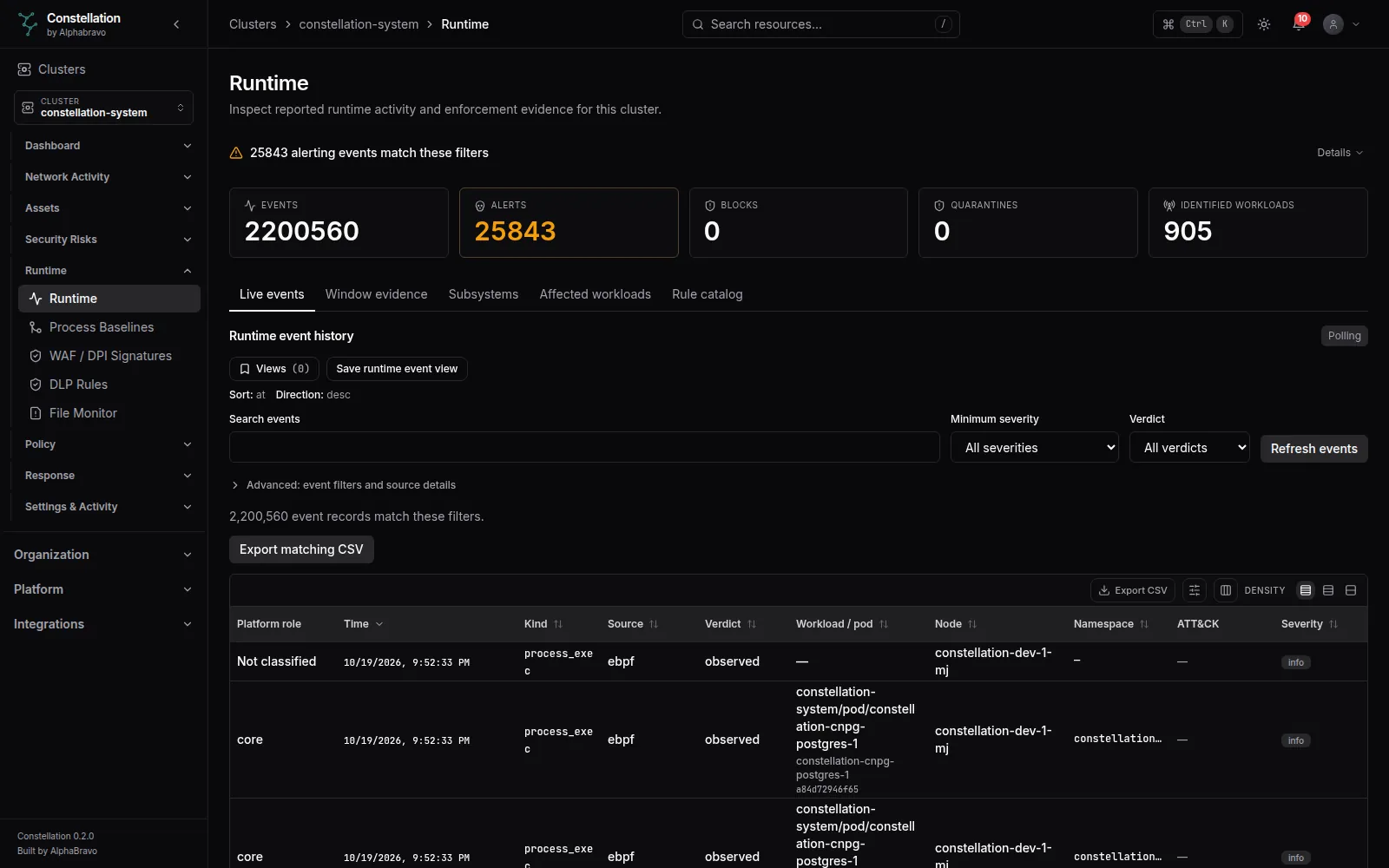
A runtime agent on every node watches process starts, file access and pod traffic. Constellation learns what each workload normally runs, alerts when it drifts, and puts every event on one timeline. Blocking is there when you are ready for it, one workload at a time.
Alpha · Detection on by default · Enforcement opt-in01 / THE AGENT
The runtime agent runs on each node, including tainted control-plane and GPU nodes. It uses eBPF to see process execs and file opens, inspects traffic on each pod’s network interface, and reports host facts and installed packages for scanning.
The agent runs privileged with host PID and host network. eBPF events need kernel BTF; without it the agent runs without process and file events.
02 / BASELINES
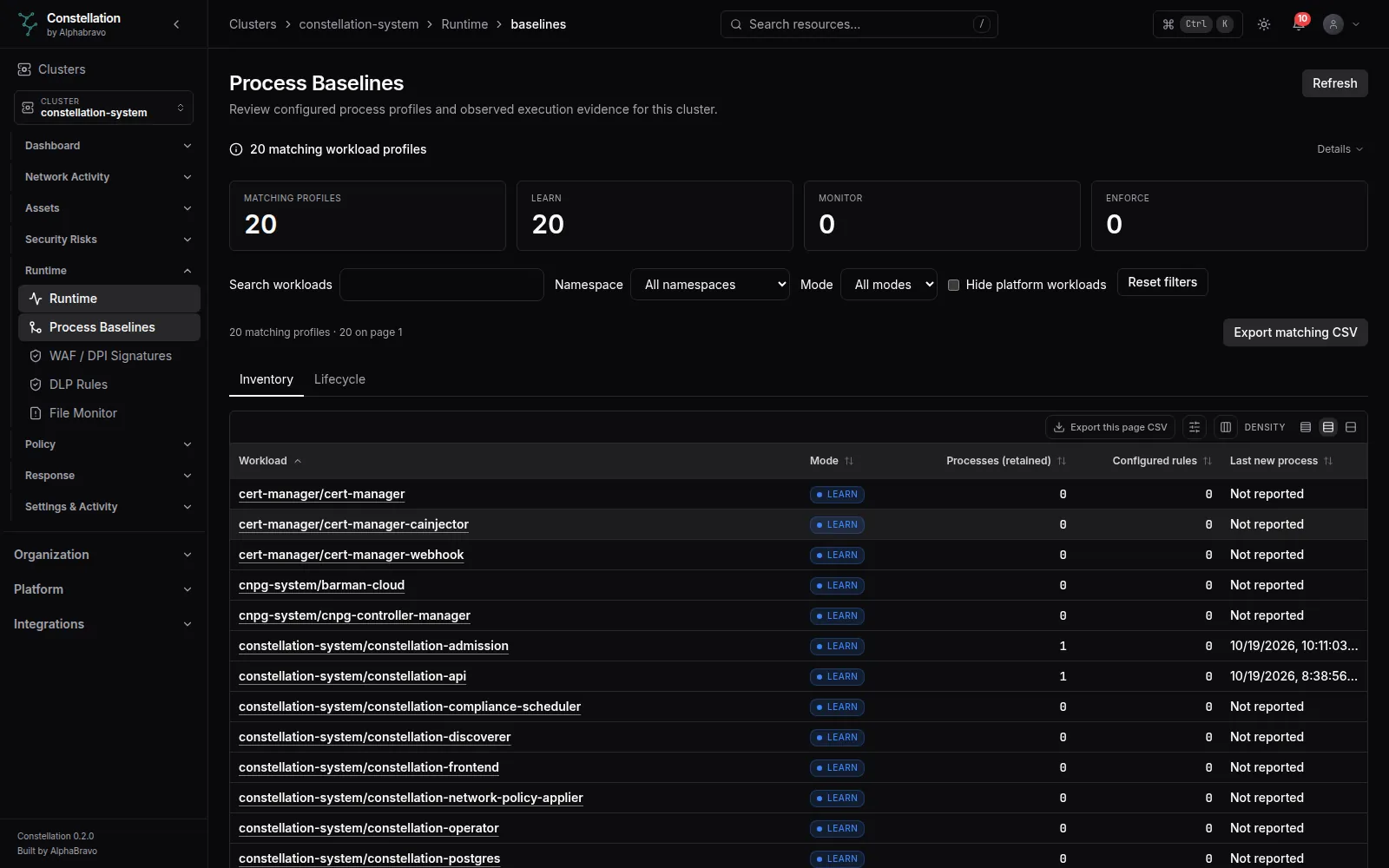
Each workload has a process baseline. In Learn, Constellation records what it runs without alerting. In Monitor, the baseline is frozen and anything new raises an alert. In Enforce, anything new is blocked as well. Every mode change is audited.
Blocking needs two decisions: the cluster’s enforcement mode set to protect, and the workload’s baseline set to Enforce. Then the agent can kill out-of-baseline processes, deny access to protected files and block execution of drifted binaries.
Out-of-baseline processes are killed just after they start. The agent never acts on its own namespace, kube-system, kube-public, kube-node-lease or the host; you can add more protected namespaces.
runtimeAgent:
  enforcement:
    mode: monitor   # disabled | monitor (default) | protect
    process: true   # applies only in protect
    file: true
    exec: true
    protectedNamespaces: [monitoring]
03 / EVENTS
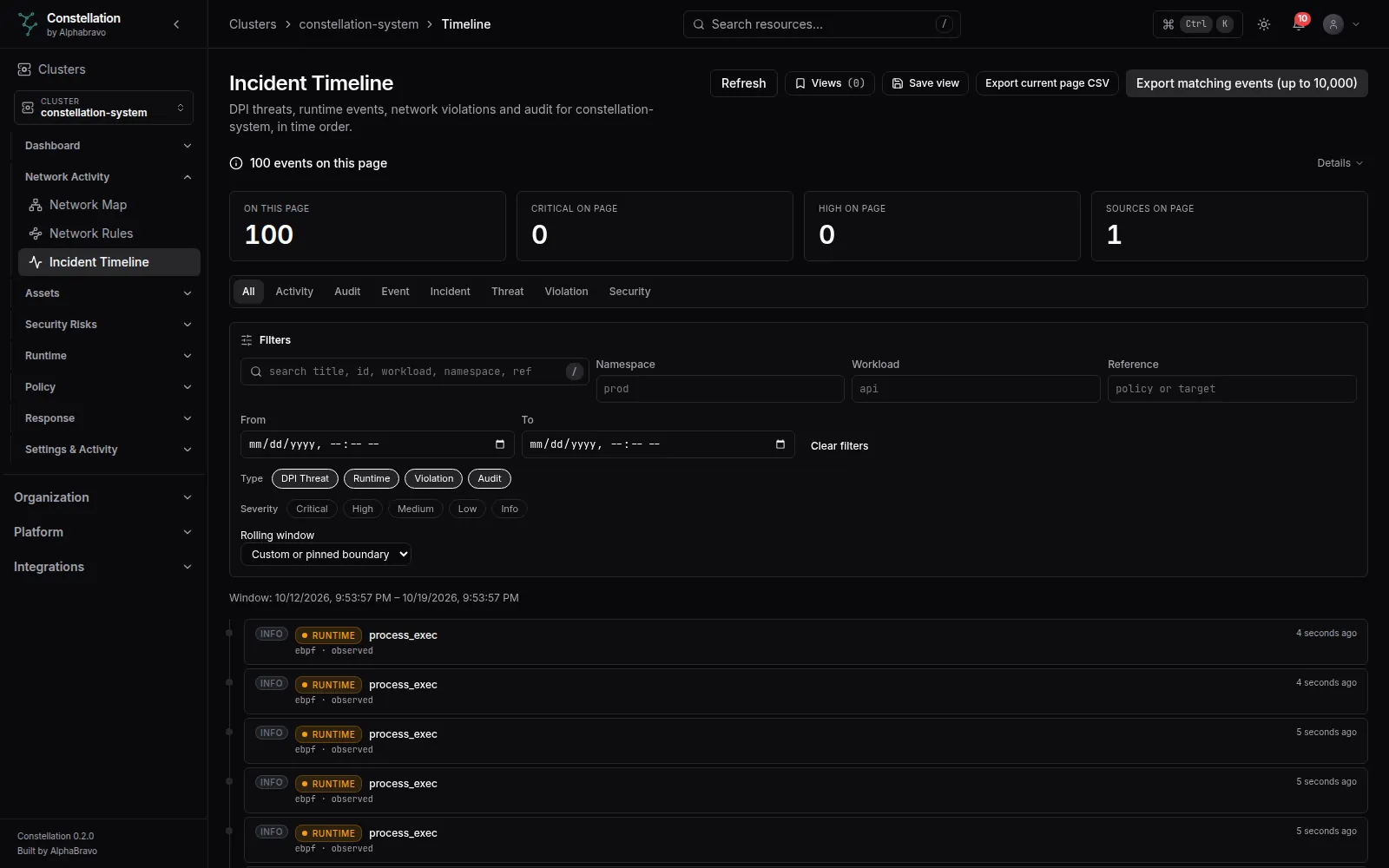
Runtime events, network violations, threat detections and audit entries land on one incident timeline, filtered by category, namespace, workload and time. Packet captures can be started, listed and downloaded for a workload.
Kubernetes API-server audit events can also be sent to Constellation; high-signal ones such as exec into a pod, secret reads, RBAC changes and privileged pod creation feed notifications and response rules. That needs API-server audit webhook flags, which managed control planes may not allow, and has no console view yet.
04 / WAF & DLP
The data plane matches pod traffic against WAF signatures and data-loss rules, for the workloads you opt in by label or group.
A small set modeled on the OWASP Core Rule Set: SQL injection, cross-site scripting, path traversal, command injection and scanner user agents. Add your own. It is not the full CRS.
Card numbers that pass a Luhn check, US SSNs, AWS keys, GitHub tokens, Slack and Stripe keys, bearer tokens and EU IBANs. Add your own patterns.
By default matches alert. Dropping or resetting a session needs protect, network and DPI enforcement on, and a per-pod label. It fails open if the data plane stops.
05 / RESPONSE
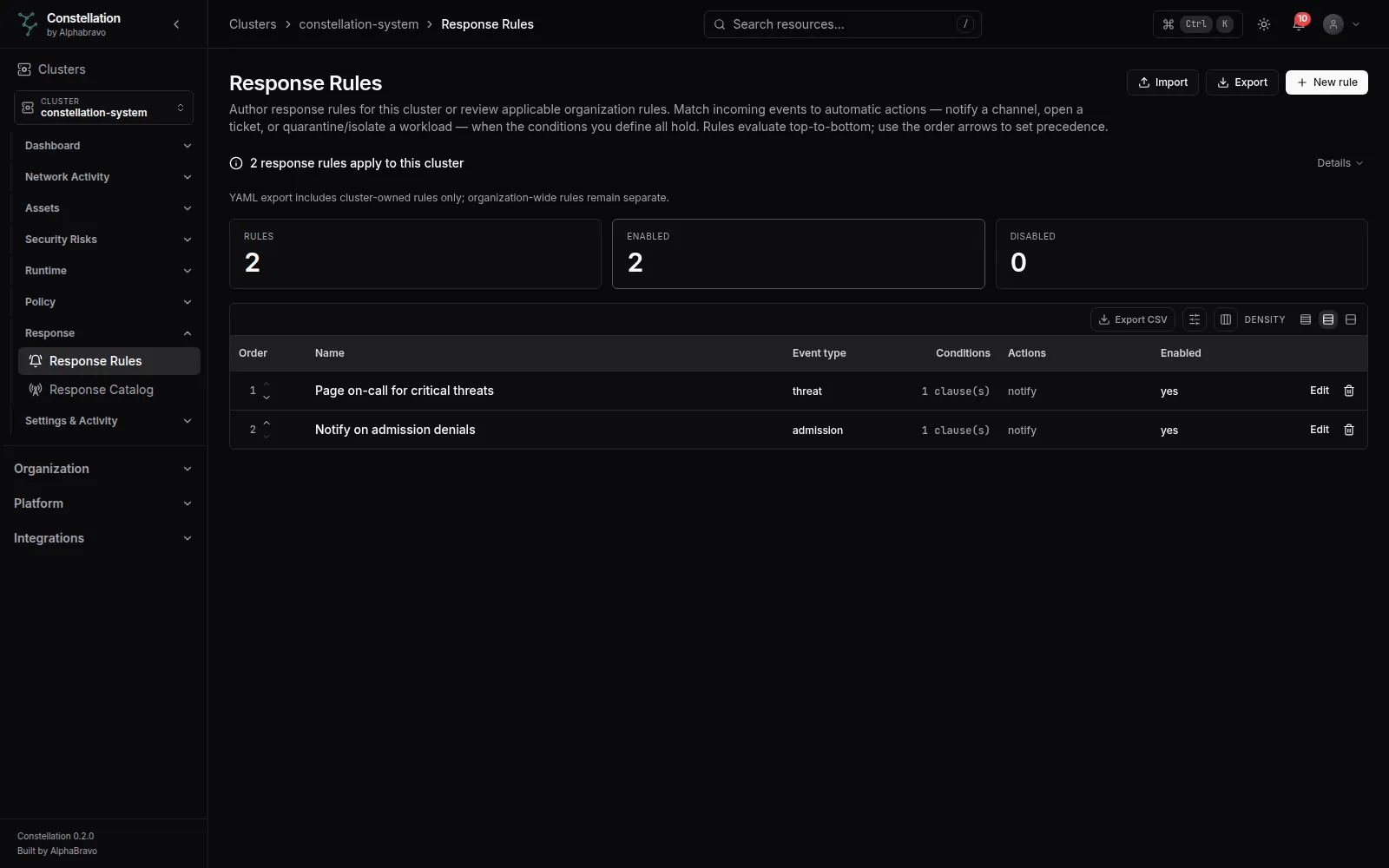
Ordered response rules match events and act: notify, call a webhook, open a ticket through a receiver, tag, suppress the log, quarantine or isolate.
The admission quarantine list is off by default. Process-kill response actions need an agent setting that is off by default and not yet in the chart. Lifting a quarantine does not remove an isolation policy; demote or roll back the policy.
Inline network, WAF and DLP blocking work only on iptables-based CNIs such as flannel, Calico in iptables mode and kube-router, not on Cilium in eBPF mode. Isolation by NetworkPolicy does nothing on CNIs that do not enforce NetworkPolicy, and does not cut connections already open. There is no Falco or Tetragon integration and no automatic forensic capture on quarantine.
A default install detects and alerts. Nothing is blocked until you turn on protect and choose the workloads.
Turn enforcement on for one labeled workload, watch its alerts, then widen it.
FAQ
The runtime agent will not: its enforcement mode is monitor by default, so it alerts only. The admission webhook does block privileged, host-network and host-PID pods by default; see the admission page. #
The chart requests 200m CPU and 256 MiB and limits it to 1 CPU and 1 GiB per node. Most memory goes to the data plane’s pattern databases and session table; CPU tracks the traffic inspected. Measure it on your own nodes. #
Process and file events do. The data plane cannot enforce on Cilium in eBPF mode, and network visibility there depends on connecting a Hubble relay, which is not yet a chart setting. #
NEXT STEP
Tell AlphaBravo which kernels and CNIs you run. We will help you plan a monitor-only trial.